


Artmate: Drawing Together
4.6262.00 Reviews
App Specs
- Version
- 1.1.42
- Updated On
- License
- Free
- Downloads
- 10,000,000+
- Developer
- Braly JSC
- Categories
- Art & Design
- Platform
- Android
Screenshots
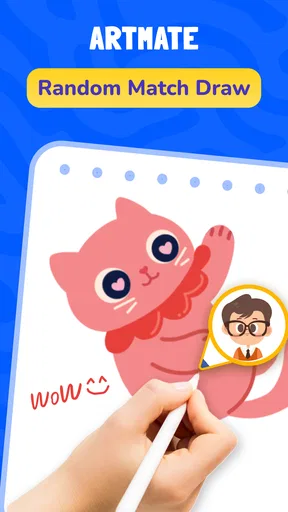

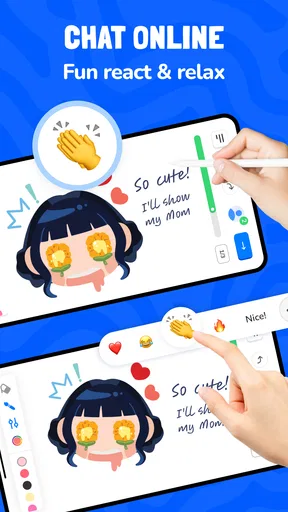
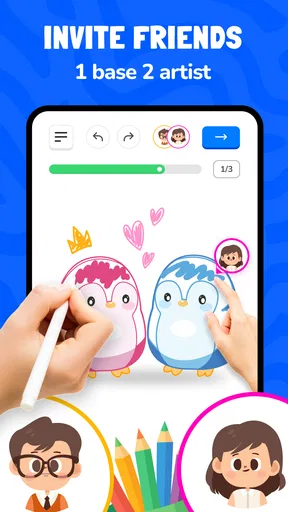
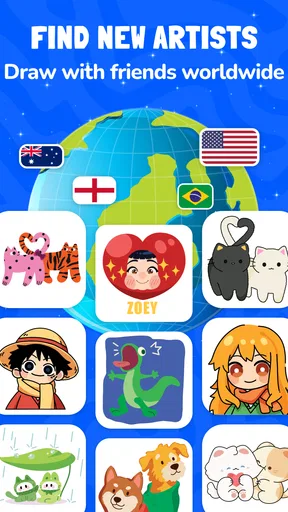
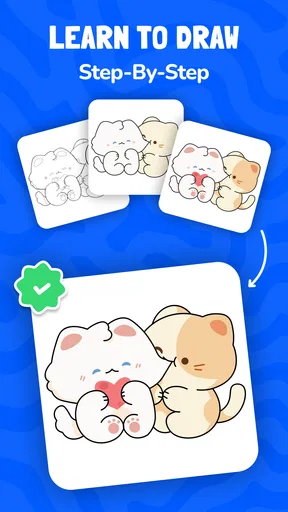
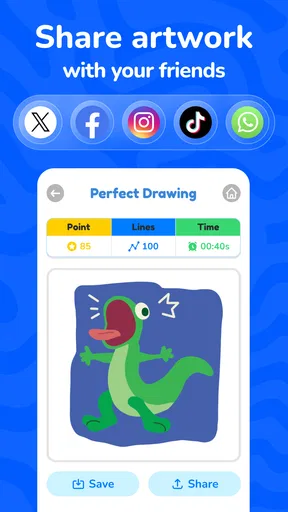
 Analysis by AppCompare
I find drawing apps easiest to judge by what happens after the first burst of enthusiasm. Can I understand what to do without a tutorial marathon? Can I make something enjoyable with a friend even if neither of us thinks of ourselves as an artist? Artmate: Drawing Together is built around that shared, low-pressure experience. It is an art and design app from Braly JSC, and its mix of multiplayer drawing and easy lessons gives it a more social feel than a typical solo sketchbook.
That focus makes it appealing for a quick creative break, a family activity, or a way to keep in touch with a friend. It also shapes the trade-offs: this is not the app I would choose when I want a deep digital painting studio or precise control over a finished illustration. My main question is whether its collaborative approach feels inviting across different abilities and everyday situations. It does in several ways, though a few practical barriers are worth considering before you settle in.
A quick fit check before you start
The simplest way to decide whether the format suits you is to think about what you want from the next creative session. If you want an easy shared activity, a gentle reason to practice, or something to do with a child or friend, this has a clear purpose. If your priority is a private, carefully organized body of artwork, detailed editing, or a tool you can use without coordinating with anyone, I would choose a conventional drawing app instead.
One useful distinction is that Artmate is less about handing you a blank digital page and more about making the act of drawing social. That can be a relief for someone who struggles to start, but it may feel restrictive to a person who already has a subject, technique, and workflow in mind. I would treat the lessons as a starting route, not as a replacement for open-ended art practice.
Getting oriented without needing art-school confidence
I look at the first few minutes of an art app as a test of whether it makes the next step feel obvious. Here, the useful question is not just where to tap, but whether a new user can settle into a shared activity without feeling they need drawing experience first. I’ll focus on the small choices that can make that welcome feel more comfortable, then consider what changes when people use it in different settings.
A gentle starting point, with a social center
The clearest strength is the way the app combines drawing with lessons. Instead of leaving a beginner alone with a blank canvas and a row of unfamiliar tools, Artmate gives drawing a learning-oriented context. That matters if you tend to freeze when asked to “draw anything.” A simple lesson can turn the task into a sequence of manageable choices, while drawing alongside someone else makes the result feel less like a test.
I would recommend it especially to people who want to make marks, experiment, and laugh at the outcome rather than produce polished portfolio work. A parent and child could use a lesson as a shared activity; friends could treat a drawing session as a casual alternative to another round of messaging. The multiplayer element gives the app a specific purpose that solo drawing tools do not naturally provide.
Worth Reading Before You Choose

Switching to Android Auto Means Rethinking Your Driving Routine

Google Calendar Makes a Crowded Week Easier to Manage

Baby Panda World Brings Quick Play to Modern Phones, but Its Game Library Feels Busy

ESPN’s Live Game View Makes Following Close Games Easier

QuizzLand Review: A Good Fit for Short Trivia Breaks, Not Every Player

Basketball Stars: Multiplayer Is Fast, but Can It Recover When Matches Go Wrong?
The app has a 4.8 average from around eleven thousand ratings, and it has passed ten million installs. Those figures suggest broad interest, but they are not a substitute for deciding whether the format suits you. A large audience can include both casual doodlers and people who only open an app once; what matters here is whether you enjoy learning and making pictures with company.
How I would approach a first session
For a newcomer, I would begin with a lesson rather than trying to invent a drawing prompt. Keep the first session short and agree with your friend that the aim is participation, not a beautiful result. That small change can reduce the pressure that often makes creative apps feel intimidating. If one person is more confident, they can model a simple approach without turning the activity into a competition.
A useful habit is to decide on a loose theme before starting: a favorite snack, a pet, or something you can see from where you are sitting. That gives everyone a shared starting point while leaving room for different interpretations. It also helps when one participant needs more time to decide what to draw. I would not assume that a lesson automatically fits every age or skill level, but the approachable premise makes it easier to adapt the activity informally.
Navigation is best understood through that simple use case: open the app, orient yourself around the learning or shared drawing activity, and focus on the picture rather than treating the app as a professional workspace. I value that narrow focus. It keeps the idea easy to explain to someone new, although anyone expecting extensive project management, a customizable studio, or a complex collection of art tools may find the experience limited.
What the numbers and pricing mean in practice
Artmate is free to install, with in-app purchases priced from $0.99 to $14.99 per item. I would treat the free experience as the sensible place to start and consider purchases only after you know how regularly you will use it. That is particularly relevant for a family: a child may enjoy the social drawing idea immediately, but an adult should check the purchase options before handing over a device.
The app is rated for Everyone, which makes it easier to consider for a broad household audience, but an age rating is not a promise that every child will find every screen or interaction comfortable. I would still sit with a younger user at first, help them understand the activity, and set expectations around spending. Version 1.1.38 is the current version, and the stated minimum operating-system requirement is version 7.0.
Making a shared session work in real life
A practical way to use the lessons is to choose a moment when everyone can give the activity a little attention, rather than trying to fit it into a busy transition. For example, after school, a parent and child might pick one simple subject and take turns suggesting what to add. This gives the child a role beyond following instructions and lets the adult join in instead of judging the result. If attention starts to drift, stopping while the session still feels fun is better than insisting on finishing.
For friends, I would use a prompt that can be interpreted in several ways, not one that rewards accurate drawing. “Something from your morning” gives each person room to choose a different object, while a narrowly defined challenge can make a less confident participant feel they are being measured. This is a small but useful trade-off: a shared topic creates connection, while too much emphasis on matching a model can turn a relaxed session into a comparison.
Drawing together across different abilities and settings
For me, inclusion is less about assuming one setup suits everyone and more about giving people room to adjust the pace, company, and expectations. A shared drawing session can be a relaxed way to connect, but comfort with touch, attention, and social participation varies from person to person. I’ll look at those trade-offs and where a different kind of creative activity may be the kinder fit.
Motor and sensory comfort are personal
Drawing is a hands-on activity, so comfort depends on more than the app’s concept. Some people enjoy making quick, broad strokes; others find sustained touch input tiring or difficult to control. A shared lesson can reduce the need to plan every move, but it does not remove the physical demands of drawing on a screen. If you experience hand fatigue, try a brief session and pause when needed rather than treating the lesson as something to finish in one sitting.
There is also a useful social trade-off. Drawing together can make a beginner feel supported, but a fast-moving partner may unintentionally create pressure to keep up. I would agree beforehand that participants can take their time, make simpler shapes, or just watch for a moment. That makes the activity more welcoming without requiring anyone to explain a disability or justify a slower pace.
For sensory comfort, the same principle applies: the social setting should be adjustable by the people using it. A quiet one-to-one session may suit someone who finds group activity distracting, while a lively gathering could be exactly what another person wants. I would start with one familiar partner and a calm setting, then add people only if that makes the experience more enjoyable. The app’s shared premise is a strength, but it does not mean every user will want the same level of interaction.
When the situation helps—and when it gets in the way
A realistic use case is a short video-call catch-up where two friends want something to do with their hands while talking. A drawing prompt can give the conversation a playful center, and the lesson format can help if neither friend knows where to begin. For a family, the same idea could fill a quiet stretch at home, with an adult joining in rather than supervising from across the room.
On the other hand, a shared drawing activity is a poor fit when someone needs uninterrupted concentration, has limited time for interaction, or simply prefers to create privately. It may also be awkward in a noisy or public place if the person needs to focus on several things at once. I would not choose it as a substitute for a dedicated note-taking or illustration workflow; its value is the social creative session, not general-purpose productivity.
Compared with a conventional sketchbook app, Artmate’s main distinction is that the activity is framed around learning and drawing with others. A solo sketchbook is usually the more natural choice when you want quiet practice, personal control, or a private archive of work. A broad digital-art tool is better if your goal is detailed editing and a polished final image. Artmate makes more sense when the process itself—trying, sharing, and learning—is the point.
Where the inclusive promise has limits
The app’s accessible-seeming idea should not be confused with a guarantee that every person can use every part comfortably. Lessons can make drawing feel less open-ended, but they cannot solve every challenge related to touch control, vision, attention, or communication. I would test the app with the person who will use it, rather than assuming that an easy lesson is automatically easy for everyone.
There is a further distinction between joining a shared activity and enjoying it. Someone may be able to participate but still dislike drawing in front of another person. Another user may love the company but prefer a different creative task. If a friend hesitates, offer a small, low-stakes prompt and let them opt out without turning the session into a lesson about confidence.
The most practical way to make a session work is to shape the surroundings as much as the activity. Choose a comfortable device position, take breaks, keep the first prompt simple, and avoid comparing results. These are not special app features; they are small choices that make a touch-based drawing session easier to join. They also help prevent a collaborative activity from quietly becoming a contest between the more and less experienced person.
My inclusive verdict
I see Artmate as a friendly option for people who want creativity to feel shared rather than solitary. Its lessons offer a starting point, and drawing with a friend can make practice less intimidating. Braly JSC has built the app around a clear, approachable use case, and the broad Everyone rating fits that general intent. I especially like the possibility of using it for a short, ordinary moment—an after-school activity, a relaxed catch-up, or a small break when you want to do something together.
I would skip it if I needed professional-grade drawing controls, a serious solo workspace, or a guaranteed fit for a particular accessibility need. I would also think twice if the person using it dislikes touch-based drawing or feels uncomfortable creating in front of others. In those cases, a private sketching app, a non-drawing creative activity, or a more specialized tool may be a better match.
For everyone else, my advice is to try a short session before deciding whether to spend anything. Start with one partner, use a lesson to avoid the blank-page problem, and agree that the result does not need to look impressive. Artmate is at its best when the drawing is an excuse to learn and connect, not a demand to perform. If that is the kind of creative experience you want, its social approach is more compelling than another app that simply gives you an empty canvas.
Artmate: Drawing Together is free to begin, while individual in-app purchases range from $0.99 to $14.99. With its 4.8 average and a large installed audience, it has clearly attracted many users, but I would let the fit of the activity—not popularity alone—guide your choice. For a casual, shared drawing session, I think it is worth trying; for private, precise, or highly specialized art work, I would look elsewhere.
Pros
- Makes collaborative drawing feel easy and approachable.
- Supports creative play with friends or family.
- Offers a relaxed way to share ideas through art.
- Can help spark inspiration when drawing alone.
- Suitable for users with different levels of drawing experience.
Cons
- A stable internet connection is important for shared sessions.
- The experience depends on having others available to draw with.
- Small screens may make detailed drawing less comfortable.
- Shared canvases can become cluttered without coordination.
- Some features or content may require in-app purchases.
FAQs for Artmate: Drawing Together
What is Artmate: Drawing Together?
Artmate: Drawing Together is a social drawing app designed for making art with other people rather than working entirely on your own. It offers a shared creative experience where participants can contribute to a drawing and see the result develop together. The exact tools, session formats, and social features may vary by app version, so check the current listing and in-app details before downloading.
Can I use Artmate: Drawing Together by myself?
The app’s main appeal is drawing with others, but whether it includes solo activities or practice tools depends on the version available on your device. If you want a traditional sketching app for private, independent artwork, check the screenshots and feature description first. Artmate is best suited to users who are interested in shared creativity and are comfortable involving friends or other participants.
Is Artmate: Drawing Together free to download?
Availability, pricing, and optional purchases can differ between the Android and iOS versions and may change over time. Review the app-store page for the current download price and look for details about subscriptions, in-app purchases, or paid features before installing. A free download does not necessarily mean that every tool or activity is available at no cost.
Do I need an account or an internet connection to use Artmate: Drawing Together?
Because Artmate focuses on drawing together, an internet connection is likely to be important for joining or sharing collaborative sessions. Account requirements can depend on how the current version handles profiles, invitations, and social features. Check the app’s sign-in options and privacy information before creating a profile, especially if you plan to use it with children or share personal details.
Is Artmate: Drawing Together safe for children, and what should I check before downloading?
The app’s suitability for children depends on its current communication, community, and privacy features, as well as the developer’s age guidance. Before downloading, review the store’s age rating, privacy disclosures, and parental controls. If the app allows interaction with people outside your household, supervise younger users and discuss what they should avoid sharing, such as their full name, location, or contact information.


